
FaceTrix: AI Video Generator
MobicraftPhotography
4.1183.00 Reviews
- Version
- 1.9.0
- Installs
- 100.00K
- Age Rating
- Teen
Screenshots
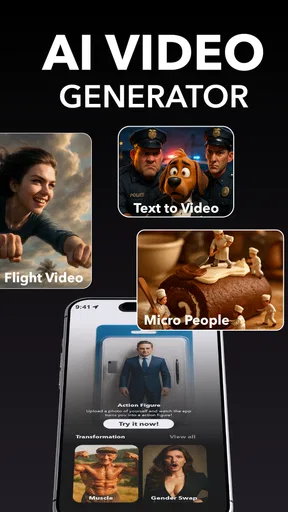

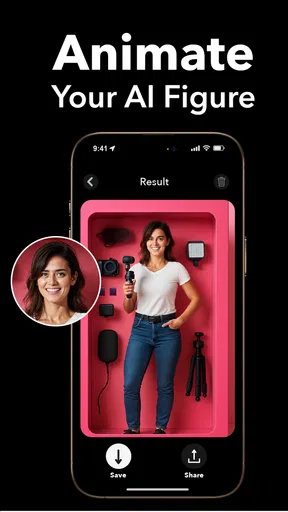
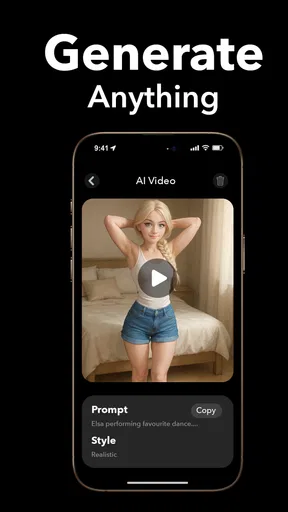
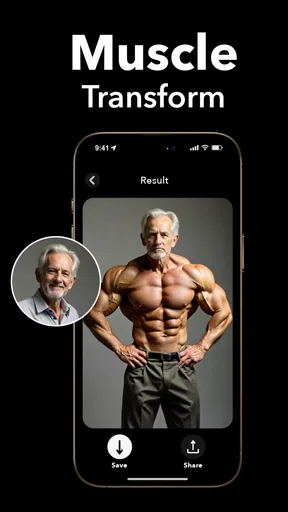
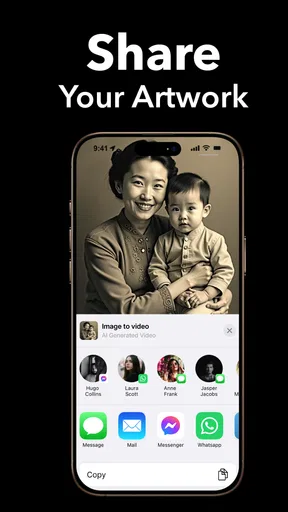


Our Review of FaceTrix: AI Video Generator
 Analysis by Appyee
Turning a still photograph into a short moving scene is one of those ideas that sounds simple until you try to make the result feel natural. FaceTrix: AI Video Generator takes that idea and places it in a phone-friendly photography app built around AI animation and effects. I found it most interesting when I treated it as a quick creative tool rather than a replacement for a full video editor: choose a suitable photo, let the app interpret it, and see whether its motion adds personality without making the image look strange.
That distinction matters because the app’s appeal depends on the starting picture and on how much patience you have for experimenting. A well-framed portrait, a clear subject, or a photo with obvious depth gives the AI more to work with than a dark group shot or a busy background. When the result works, a familiar image becomes something I can share in a message or use as a playful social post. When it misses, the animation can feel artificial, and I have to decide whether another attempt is worth the wait and the network activity.
How FaceTrix feels when the connection becomes part of the workflow
I find that a connection check is worth making before I choose a photo, not after a generation stalls. If I’m on the move, I can shortlist images and decide what I want to try first, then wait until the network is steady to start the AI step. That small change makes the handoff feel more deliberate and helps me judge the result on its merits rather than through the frustration of a disrupted workflow.
The first useful test is not the effect, but the upload moment
FaceTrix is an app from Mobicraft in the Photography category, and its central task naturally involves more than the camera roll. AI processing is the reason to use it, so the experience is shaped by the point where a photo leaves the simple gallery workflow and enters a generation process. On a strong connection, that handoff feels fairly easy: I select an image, choose the kind of visual treatment I want, and wait for the app to produce a moving result.
On a weak or crowded network, the same sequence feels less predictable. A photo can be ready on my phone while the actual creative step depends on communication with the service behind the app. That makes FaceTrix different from a conventional editor that can often crop, brighten, or trim a clip immediately. The app’s most important feature is also the part most exposed to waiting, interrupted requests, and repeated attempts.
I would therefore avoid opening it for the first time when I am already late for an event or trying to publish something at a precise moment. It is better suited to a few spare minutes when I can judge each generated clip instead of accepting the first result automatically. The app feels more enjoyable when I see the process as visual experimentation rather than a guaranteed one-tap conversion.
Why the choice of photo matters more than beginners expect
The most useful habit I developed was preparing the source image before launching an effect. I look for a face or subject that is clearly visible, enough space around it, and a background that will not be mistaken for part of the main object. A tightly cropped face may produce a more obvious animation, while a wider portrait can give the effect more room to breathe. Neither approach is universally better; it depends on whether I want a dramatic profile image or a gentler movement across the whole scene.
This is one of the app’s less obvious trade-offs. AI animation can make an ordinary photo more engaging, but it also magnifies weaknesses that were easy to ignore in a still image. A tilted face, overlapping people, reflective glasses, or a complicated background can become distracting once movement is introduced. I get more consistent results by making a small shortlist of photos first, rather than repeatedly forcing one unsuitable picture through different effects.
That workflow also saves network use and time. Instead of generating every possible version, I choose two or three strong candidates and compare the results. For a family photo, I prefer a restrained effect that preserves the people’s identity. For a travel image, I am more willing to try something expressive if the motion supports the atmosphere. The best output is not always the most animated one; often it is the version that still looks like the original photograph.
Using it in everyday mobile situations
A realistic use case is preparing a birthday message while travelling. I may have one good portrait in my gallery and want to turn it into something more personal than a static attachment. FaceTrix can be useful here because it focuses on transforming an existing picture rather than requiring me to film a new clip, arrange a timeline, or learn a complicated editing interface. I can test a visual idea on the phone and decide whether the result feels appropriate before sharing it.
Another practical situation is refreshing an old photo for a private group chat. A small movement can draw attention to a memory without requiring a long video. I would still check the finished clip carefully, especially when it includes several people. An effect that looks amusing on a single face may look awkward when the app has to interpret multiple subjects at once.
The mobile format is also useful for spontaneous creative work, but it encourages quick decisions. Phone screens can make an animation look convincing at first glance, while a larger display may reveal warping around hair, hands, or the edges of objects. Before posting something publicly, I recommend watching the complete result rather than judging only the preview. If the app lets me save the output to the device, I also prefer checking the saved copy, because that is the version I will actually send or publish.
What happens when a generation fails or feels wrong
Failure in an AI image-to-video workflow is not always a visible error message. Sometimes the request simply takes longer than expected; sometimes the generated movement technically exists but does not suit the photograph. I treat those outcomes differently. If the process appears interrupted, I first check the connection and whether the original image is still available in the app. If the result is poor, I go back to the source photo and effect choice instead of assuming that repeating the same request will solve everything.
A useful recovery method is to change one variable at a time. I might use a clearer portrait, remove a distracting crop, or select a less ambitious effect. If I change the image and the style simultaneously, I cannot tell what improved the result. This small discipline makes the app feel less random and helps me understand which pictures it handles well.
Network interruptions are especially frustrating because they can make the user unsure whether to wait, retry, or start again. I avoid tapping repeatedly when the interface appears busy. Repeated requests can create confusion about which output is current, and they may consume more of whatever usage allowance or paid access applies to the chosen action. A calmer approach is to give the request a reasonable moment, then return to the project only once I know whether it completed.
If I need a dependable result for work, a client, or an event happening immediately, I would not make FaceTrix the only tool in the plan. A normal video editor gives me more direct control and a more predictable recovery path. FaceTrix is better as the creative option I try when a little uncertainty is acceptable and the source photo is worth exploring.
Keeping control of data, spending, and expectations
Because the app works with personal photographs, I use extra care with images that include children, private documents, home interiors, or people who did not expect their picture to be transformed. I do not upload a sensitive image merely to see what an effect might do. A disposable landscape or a non-private portrait is a better experiment when I am still learning the app.
I also pay attention to the point where a free experience may lead toward optional purchases. FaceTrix is free to install, but its in-app purchases range from $1.99 to $129.99 per item. That range makes it important to understand what I am receiving before confirming anything. I would not assume that every effect, generation, or export behaves the same way financially. A careful user should read the purchase screen, identify whether the charge is for a single item or broader access, and avoid confirming a payment simply because a result is taking longer than expected.
For data-conscious use, I prepare images while connected to a network I trust rather than relying on an uncertain public connection. I also avoid generating large batches without a clear purpose. Selecting the best source photo first reduces unnecessary processing and keeps the workflow more deliberate. This is not just about saving bandwidth; it also reduces the number of copies of personal images moving through a creative service.
The Teen content rating is another reason I would explain the app to younger users instead of handing over a phone and leaving them to explore purchases alone. The creative concept is approachable, but the combination of personal photos, AI processing, and optional spending deserves basic supervision. For adults, the same principle applies whenever the device is shared with family members.
How it compares with ordinary photo and video tools
Compared with a standard photo editor, FaceTrix offers a more surprising payoff. Cropping and color adjustments improve an image, but they do not change its role in a conversation. A generated motion clip can make an old picture feel newly relevant. The trade-off is control: in a traditional editor, I decide exactly where a crop begins or how a filter affects the image; here, the app interprets the visual content and may produce details I did not request.
Compared with a conventional mobile video editor, the advantage is speed of concept. I do not need to record footage, arrange several clips, or build a soundtrack just to test whether a still image could become a short visual moment. The disadvantage is that I cannot approach the result with the same frame-by-frame certainty. If my goal is a precise promotional video, a tutorial, or a carefully timed story, I would choose the editor with a timeline and manual controls.
FaceTrix also occupies a different space from a social camera app. It starts with photos I already own, so it is useful for revisiting memories and creating variations from a finished image. That makes it less suitable when I want live lenses, direct recording, or immediate interaction with the camera. I see it as a bridge between a photo gallery and a lightweight creative post, not as a complete replacement for either a camera app or a serious editing suite.
Who will get the most from the app
I think FaceTrix is a good match for people who enjoy trying visual ideas without learning a large editing program. It is especially appealing if you have a gallery full of portraits, pets, travel scenes, or family moments and want to give selected images a new format. The app’s value is highest when the user is comfortable judging results subjectively: a technically successful animation may still be wrong for the mood of the photo.
It can also suit social users who prefer making something before opening a messaging or publishing app. I like the separation because it gives me a chance to reject an awkward result privately. For a small creator, it may be useful for brainstorming a visual direction or making a quick teaser from a still image, provided the final content does not require exact brand control.
I would skip it if I mainly need offline-style editing, precise manual animation, batch production, or guaranteed turnaround. It is also not the right first choice for someone who dislikes cloud-dependent creative steps, has a very limited connection, or does not want to review optional purchase prompts carefully. In those cases, a local photo editor or a traditional video tool is likely to feel calmer and more predictable.
Performance expectations and the current package
FaceTrix was released on December 22, 2024, and the current version is 1.9.0. It runs on Android 8.0 or later, which makes it accessible to a broad range of Android phones, although the experience can still vary with the device, available storage, display quality, and network conditions. I would keep the app updated through the normal store process, particularly for a tool whose generation workflow may depend on changes behind the scenes as well as on the interface visible on the phone.
The app has reached over 100 thousand installs and holds a 4.1 average from around 4.1 thousand ratings, with 183 written reviews. Those figures suggest that it has attracted a meaningful early audience, but they do not remove the need to test it with your own type of photos. AI results are unusually personal: a person using clear solo portraits may have a much better impression than someone working mostly with crowded scenes or low-light images.
I would start with the free entry point and a small, non-sensitive selection of pictures. That gives me enough information to decide whether the animation style suits my taste before considering any optional purchase. The best evaluation is not whether the app can produce movement once, but whether it can produce a result I would genuinely share more than once.
My practical routine for better results
My preferred routine is simple but intentional. I begin with a duplicate or easily replaceable copy of the photo, choose an image with a clear subject, and make sure the phone has a stable connection. I then select one effect rather than jumping between every option. After generation, I watch the entire clip, inspect the face and background, and ask whether the movement adds meaning or only novelty.
If the first attempt looks unnatural, I do not immediately blame the app. I try a different crop or a less complex image, keeping the change small enough to learn from it. If the second attempt still feels wrong, I stop. That stopping point is important: the app is most enjoyable when it helps me discover a good idea, not when it turns into an endless cycle of retries.
For sharing, I keep the audience in mind. A playful transformation may work in a close friends’ chat but feel inappropriate in a professional setting. I also check that everyone shown in the photograph would be comfortable with the result. The app makes animation easy; responsible sharing still requires a human decision.
My connectivity verdict
FaceTrix is at its best when I have a stable network, a suitable photograph, and enough time to experiment. Connectivity is not a minor background detail here; it shapes how quickly I can move from an idea to a finished clip and how frustrating recovery becomes when a request does not go smoothly. That makes the app feel more spontaneous on a reliable connection and less dependable in places where service is inconsistent.
Even with that limitation, I enjoyed the app as a focused photography experiment. It gives still images a new purpose, and its phone-first approach is easier to approach than a full video editor. I would recommend it to curious Android users who want playful AI animation from their own photos and who are willing to review results carefully. I would not recommend relying on it for precision work, urgent delivery, or sensitive images.
My final recommendation is to treat FaceTrix as a creative sketchbook, not a guaranteed production tool. Start with one strong, non-private photo, use a trusted connection, watch the complete result, and keep spending decisions deliberate. Used that way, the app can turn a familiar image into a shareable moment without asking me to become a video-editing expert first.
Verdict
Strengths of FaceTrix: AI Video Generator
- Creates engaging AI videos from simple text prompts.
- Offers creative effects for social media content.
- Easy interface suitable for beginners.
- Quick generation saves time on manual editing.
- Supports experimenting with different visual styles.
Limitations of FaceTrix: AI Video Generator
- Output quality can vary between generated videos.
- Some features may require a paid subscription.
- Generation times may increase during busy periods.
- AI results may not always match the prompt accurately.
- Export options and resolution may be limited on free plans.
Similar Picks in This Category
View All
Google Photos
Google LLC4.4

Gallery
Google LLC4.2

Picsart AI Photo Editor, Video
PicsArt, Inc.3.9

B612 AI Photo&Video Editor
SNOW Corporation4.1

BeautyPlus-Selfie Photo Editor
PIXOCIAL TECHNOLOGY (SINGAPORE) PTE. LTD.4.5

Remini - AI Photo Enhancer
Bending Spoons4.1
Frequently Asked Questions
What is FaceTrix: AI Video Generator and what can it do?
FaceTrix: AI Video Generator is an entertainment and creative-editing app that uses artificial intelligence to turn photos into animated videos and face-based visual effects. Depending on the available templates, you can create transformations, expressive portraits, music clips, and short social-media videos. The experience is mainly template-driven, so results can vary according to the quality, lighting, and framing of the photo you upload.
Is FaceTrix: AI Video Generator free to download and use?
The app may be free to download, but some templates, export options, processing features, or premium effects can require payment. Before creating a video, check the pricing screen carefully for subscriptions, trial periods, and one-time purchases. If a free trial is offered, remember to review its renewal terms and cancel it through your Google Play or App Store account if you do not want to continue.
What kind of photos work best with FaceTrix?
For the most convincing results, use a clear, high-resolution portrait with one visible face, even lighting, and a straightforward expression. Avoid sunglasses, heavy shadows, extreme angles, crowded backgrounds, or images where the face is partially covered. Group photos may not work as expected, and the generated animation can sometimes produce unnatural facial movement, especially when the source image is blurry or heavily edited.
Does FaceTrix protect the photos and personal data I upload?
Because FaceTrix processes images with artificial-intelligence tools, you should review its privacy policy and the permissions requested before uploading personal photos. Check whether images are sent to remote servers, how long generated files are retained, and whether content may be used to improve the service. Avoid uploading sensitive documents, private images, or photos of other people without their permission.
Can videos created with FaceTrix be shared or used commercially?
FaceTrix generally focuses on creating short videos for personal entertainment and social sharing, but the exact usage rights depend on the app’s terms, the selected template, and any third-party music or assets included in the result. Before using a video for advertising, monetized content, or business promotion, verify the commercial-license rules. You should also have permission from anyone whose face or image appears in your project.
